IDimage Client
Capture,process, and deliver compliant ID photos without leaving your badge workflow.
Talk to our experts
Capture,process, and deliver compliant ID photos without leaving your badge workflow.
Talk to our experts
Automatically remove backgrounds and optionally replace them with CI-compliant designs — ideal for branding, compliance, and ID card creation.

Face is automatically detected, cropped, and correctly positioned — for consistent results according to defined standards.

Capture images via external cameras, webcams, or uploads.
Real-time guidance for image alignment before capture. Reduces retakes and ensures consistent results.
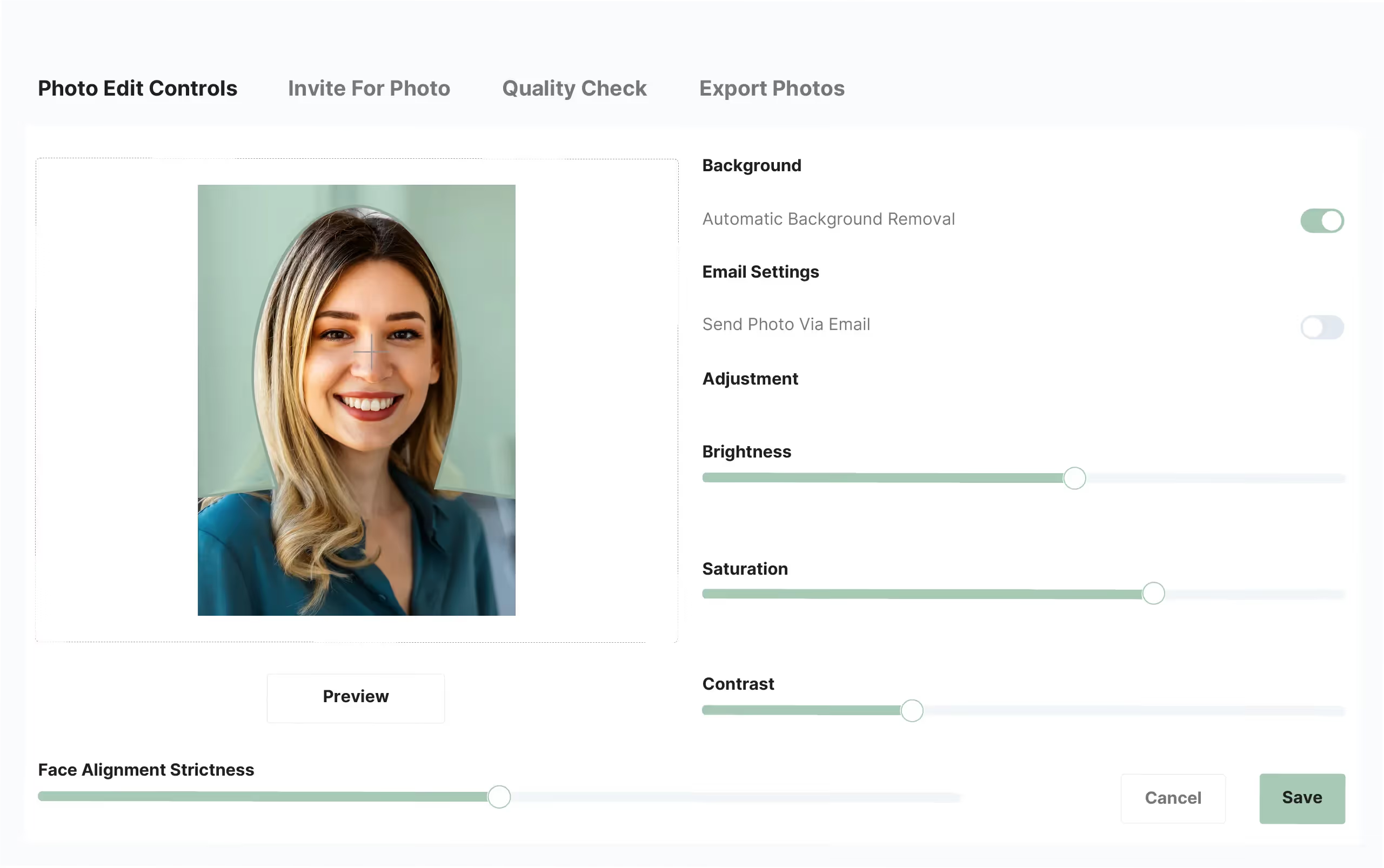

Automatically improve sharpness, lighting, and color balance — even under poor shooting conditions.
less manual post-processing
Photo capture
CI-compliant results

Reliable, consistent image quality.
Consistent positioning, sizes, and corporate identity guidelines — regardless of who takes the photos.

Faster capture with fewer retakes.
Automatic cropping, optimization, and background removal replace manual processing.

Can be used standalone or as part of the ID card workflow.
Can be directly integrated into IDfunction Production or PIAM.
IDimage Client adapts to your workflow
Optimized for individual workstations.
System integration for physical identity and access management.
For mass production of IDs.

Employee Onboarding

Visitor & Contractor Processes

ID Reissuance

Education / Student IDs

Insurance / Identity Verification

Retail & Hospitality
Talk to the team and find out how IDimage Client optimizes photo capture and creates consistent results.
IDimage Client is a desktop application for capturing, optimizing, and standardizing badge photos. It offers live preview, automatic face detection, automatic cropping, image optimization, and optional AI-based background removal for consistent, CI-compliant images.
IDimage Client works with USB webcams, Canon DSLR and PowerShot cameras, as well as uploaded image files. It supports WDM/DirectShow cameras and processes existing images from any source.
Yes. It runs as a standalone desktop application on any Windows PC. No connection to IDfunction PIAM or IDfunction Production is required.
Yes. Can be used as a module in IDfunction PIAM or IDfunction Production — for seamless use of optimized images in onboarding workflows, approval processes, or badge production.
The final images are exported as PNGs — compatible with HR systems, access control, databases, and badge production.
Yes. Backgrounds are automatically removed and optionally replaced with CI-compliant graphics — for consistent branding.
Yes. Face detection, automatic cropping, and image optimization ensure standardized results — regardless of person, location, or device.
Yes. Images are processed locally and meet GDPR requirements for employee and visitor photos.
Yes. The outputs are print-ready PNG files with uniform cropping and background — ideal for IDfunction Production or any badge environment.
Our products are designed to work together. Learn how they connect to streamline operations and create a cohesive identity and access environment.